USB C to HDMI: A Comprehensive Guide to Connectivity
The transition from USB-C to HDMI has revolutionized how we connect our devices to displays, offering seamless, high-quality video and audio transmission. This guide will provide you with everything you need to know about USB C to HDMI connectivity.
1. Understanding USB C to HDMI Connectivity
What is USB-C?
- Universal Standard: USB-C is a universal connector standard that supports data transfer, power delivery, and video output.
- Reversible Connector: It features a reversible connector, making it easier to plug in.
What is HDMI?
- High-Definition Multimedia Interface: HDMI is a standard for transmitting high-definition video and audio from a source device to a display.
- Wide Adoption: It’s commonly used in TVs, monitors, projectors, and other display devices.
How Does USB-C to HDMI Work?
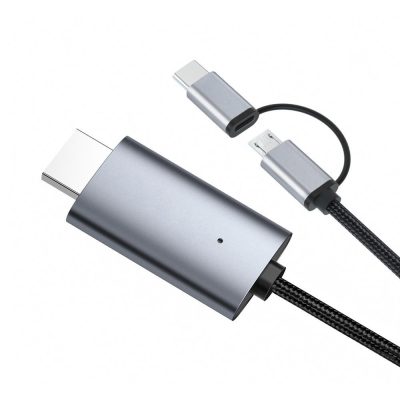
- Signal Conversion: USB-C to HDMI cables and adapters convert the digital signal from a USB-C port to an HDMI signal, enabling you to connect USB-C devices to HDMI displays.
2. Key Features and Benefits
High-Quality Video Output
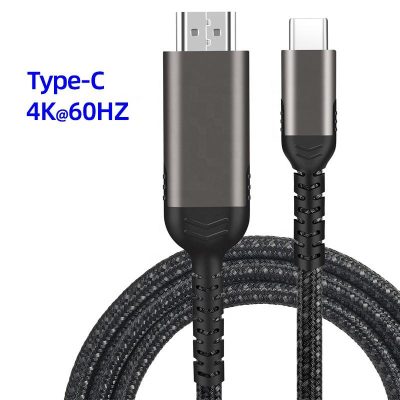
- 4K Resolution: Many USB-C to HDMI cables support up to 4K resolution at 60Hz, delivering sharp and detailed visuals.
- HDR Support: Some cables support HDR, enhancing color and contrast for a more vibrant image.
Integrated Audio and Video
- Single Cable Solution: These cables transmit both audio and video signals, reducing the need for multiple cables and simplifying your setup.
Plug-and-Play Convenience
- No Additional Drivers Needed: Most USB-C to HDMI cables offer plug-and-play functionality, requiring no additional software or drivers.
3. Choosing the Right USB C to HDMI Cable
Compatibility
- Device Support: Ensure the cable is compatible with your device. Check if your device’s USB-C port supports video output (USB-C Alt Mode).
- Thunderbolt 3/4: If your device has a Thunderbolt 3 or 4 port, confirm that the cable supports Thunderbolt connectivity.
Resolution and Refresh Rate
- 4K at 60Hz: For the best viewing experience, choose a cable that supports 4K resolution at 60Hz.
- 1080p Support: For older displays or less demanding applications, 1080p at 60Hz may be sufficient.
Cable Length
- Short Cables: Ideal for desktop setups where devices are close to the display.
- Long Cables: Suitable for setups where the device and display are further apart. Ensure long cables maintain signal quality.
Durability
- Build Quality: Look for cables with durable materials such as braided nylon or reinforced connectors.
- Gold-Plated Connectors: These offer better conductivity and resistance to corrosion.
4. Setting Up and Using USB C to HDMI
Connecting Your Devices
- Plug the USB-C End: Connect the USB-C end of the cable to your device’s USB-C port.
- Connect the HDMI End: Plug the HDMI end into your display’s HDMI port.
- Select the Input: Use your display’s input/source selector to choose the appropriate HDMI input.
Troubleshooting Tips
- No Signal: Ensure both ends are securely connected. Check the display’s input setting.
- Flickering or Interference: Try a different cable or port. Ensure the cable is not excessively bent.
- No Audio: Verify that your device’s audio output is set to the HDMI device.
5. Applications and Use Cases
Home Entertainment
- Streaming and Gaming: Connect your laptop or smartphone to your TV for streaming movies or gaming on a larger screen.
Professional Use
- Presentations: Easily connect your laptop to projectors or monitors for seamless presentations.
- Dual Monitor Setup: Enhance productivity by extending your desktop to an additional monitor.
Education
- Classroom Displays: Teachers can connect their devices to classroom projectors or displays for interactive lessons.
6. Future-Proofing Your Connectivity
Evolving Standards
- USB4 and Beyond: Keep an eye on emerging standards like USB4, which offer even higher data transfer rates and improved video capabilities.
Adapting to New Devices
- Universal Compatibility: As more devices adopt USB-C, having a reliable USB C to HDMI cable ensures compatibility with future devices.
Conclusion
USB C to HDMI cables offer a versatile and efficient way to connect modern devices to external displays, providing high-quality video and audio output. By understanding the key features, benefits, and considerations, you can choose the right cable for your needs and maximize your connectivity experience. Whether for home entertainment, professional use, or education, USB C to HDMI cables are an essential tool for modern device connectivity.