The Ultimate Guide to USB C to HDMI Cables for 4K Displays
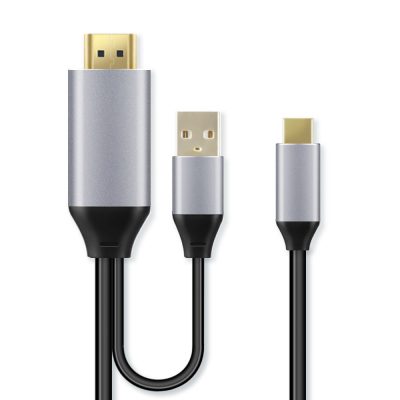
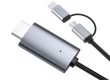
USB C to HDMI cables are essential for connecting devices to 4K displays, providing high-resolution video and audio output. This guide will help you choose the best USB C to HDMI cable for 4K displays, covering key features, compatibility, and tips for optimal performance.
1. Understanding 4K Resolution
What is 4K Resolution?
- Definition: 4K resolution refers to a display with a resolution of 3840 x 2160 pixels, offering four times the pixel count of Full HD (1080p).
- Benefits: Provides sharp, detailed images with more vibrant colors and better clarity, ideal for movies, gaming, and professional work.
Why Choose a 4K Cable?
- Enhanced Visuals: To fully utilize the capabilities of a 4K display, you need a cable that can handle 4K resolution at high refresh rates.
2. Key Features of USB C to HDMI Cables for 4K
Resolution and Refresh Rate
- 4K at 60Hz: Choose cables that support 4K resolution at 60Hz for smooth and fluid visuals without motion blur.
- 4K at 30Hz: Suitable for less demanding applications but may not provide the same level of smoothness, especially for fast-moving content.
HDR Support
- High Dynamic Range (HDR): Enhances the color range and contrast of the video signal, making images more vibrant and realistic.
- Types of HDR: Look for support for HDR10, Dolby Vision, or HLG, depending on your content and display.
Build Quality and Materials
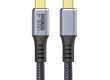
- Durable Construction: Opt for cables with braided nylon or reinforced connectors for longevity and resistance to wear.
- Gold-Plated Connectors: Provide better conductivity and corrosion resistance.
Cable Length
- Short Cables (3-6 feet): Ideal for close setups where the device and display are near each other.
- Medium Cables (6-10 feet): Offers flexibility for moderate distances.
- Long Cables (10+ feet): Use for setups where the device is far from the display. Ensure the cable has signal boosting if needed.
3. Compatibility Considerations
Device Compatibility
- USB-C Alt Mode: Verify that your device’s USB-C port supports video output (Alt Mode). Not all USB-C ports have this capability.
- Thunderbolt 3/4: If your device has a Thunderbolt 3 or 4 port, ensure the cable is compatible for high-speed data and video transfer.
Display Compatibility
- HDMI Version: Check that the cable supports the HDMI version of your display (e.g., HDMI 2.0 for 4K at 60Hz, HDMI 2.1 for higher refresh rates and resolutions).
4. Additional Features
Built-In Signal Boosting
- Signal Amplification: Some cables include built-in signal boosters to maintain quality over longer distances.
Cable Management
- Flexible Design: Look for cables that are flexible and tangle-resistant, making them easier to manage and less likely to become damaged.
Warranty and Support
- Manufacturer Warranty: Choose cables from reputable brands that offer warranties for added peace of mind.
- Customer Support: Good support can assist with any issues or questions regarding the cable.
5. Tips for Optimal Performance
Check Device and Display Settings
- Resolution Settings: Ensure that your device’s display settings are configured for 4K output to match the capabilities of your cable and display.
- Refresh Rate: Set the refresh rate to 60Hz if supported by both the cable and display for smooth visuals.
Avoid Cable Damage
- Proper Handling: Avoid bending or twisting the cable excessively to prevent damage to the internal wiring.
- Storage: Store the cable in a safe place where it won’t be crushed or tangled.
Update Drivers and Firmware
- Device Updates: Keep your device’s drivers and firmware updated to ensure compatibility and optimal performance with 4K displays.
Conclusion
Choosing the right USB C to HDMI cable for 4K displays involves considering features such as resolution, refresh rate, HDR support, build quality, and compatibility. By selecting a high-quality cable with these considerations in mind, you can ensure a superior viewing experience with crisp, detailed visuals and reliable performance. Whether for gaming, streaming, or professional use, the right cable will help you fully enjoy the capabilities of your 4K display.